Print Farm Software
Print Farm is a web application for running a workshop full of 3D printers from one place. You open it in a browser, and it stays in step with the real machines: their status, temperatures, progress and cameras all update live on screen.
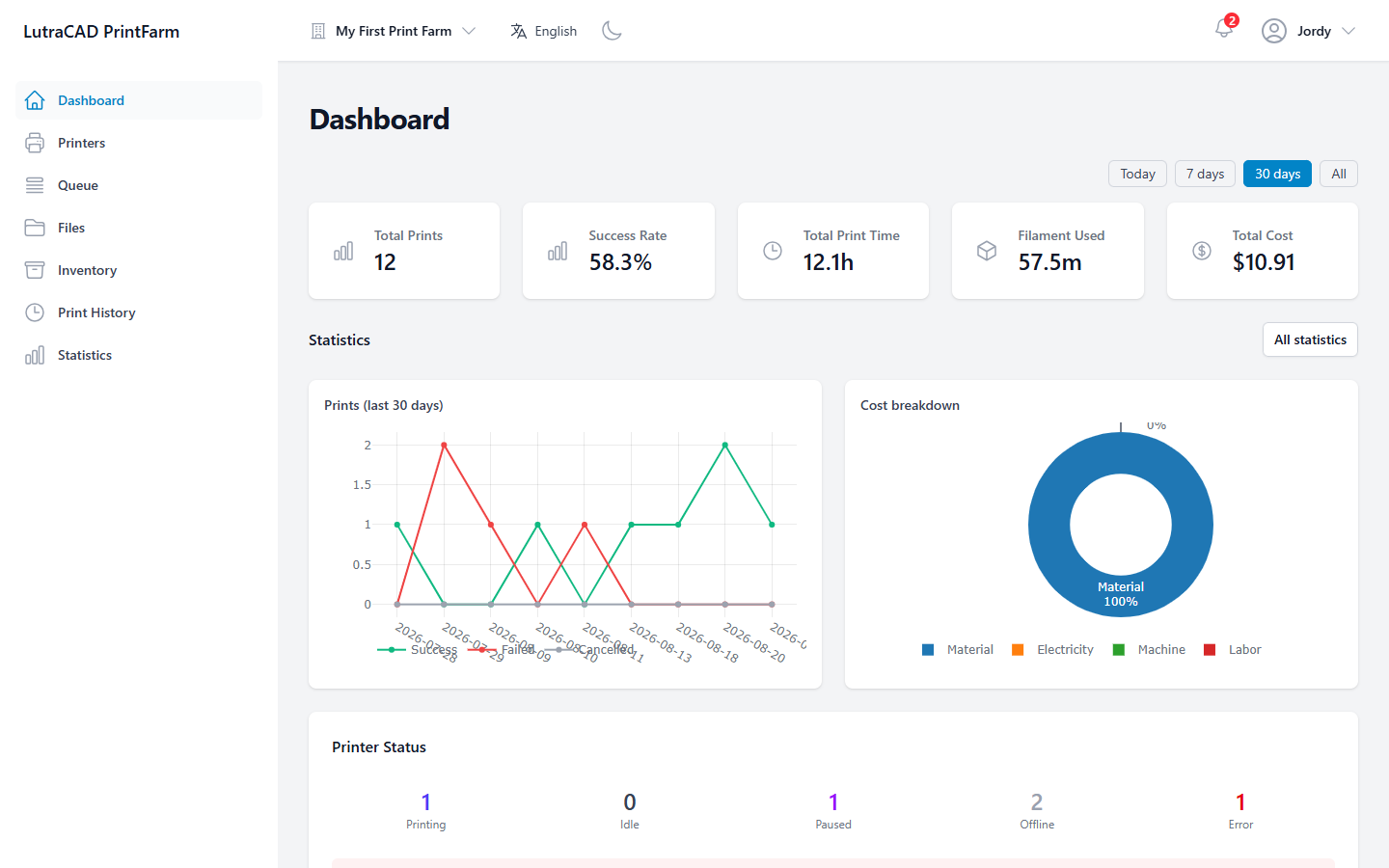
From Print Farm you can:
- Watch every printer at once, and start, pause, resume or stop a print.
- Upload print files and send them to a printer or to a shared queue.
- Track filament stock spool by spool, and see what each print cost.
- Review print history and production, cost and failure statistics.
- Organise the operation into farms, and give each team member exactly the access they need.
How printers connect
Each printer is connected through a small controller device, typically a Raspberry Pi, that sits on the same network as the printer. The controller keeps a live connection to Print Farm, so what you see on screen reflects the real machine.
Print Farm drives Bambu Lab printers and printers running Moonraker (Klipper), Raise3D and Repetier-Server. The exact controls available for a printer depend on which of these it uses.
A quick note on names and plans
The name and logo you see come from your organisation's branding. The default name is Print Farm; your build may show its own name and logo instead.
Print Farm is sold as a subscription. Some screens, such as statistics, filament stock, the audit log, team management and camera streaming, appear only when your plan includes them. Where a feature is not part of your plan, the app shows an upgrade panel or a Subscription limit reached message instead.
Finding your way around this guide
- Getting started covers signing in, your account, and the main window.
- Everyday screens covers the Dashboard, Printers, Queue, Files, Inventory, Print History, Statistics and Notifications.
- Farm setup covers farms, controllers, materials, team members and cost settings.
- Your settings covers your personal account, security and privacy.
- White-label covers the administration screens (branding, mail identity, users and plans), for organisations that run Print Farm under their own branding.